Unknown's avatar

About hvivani

Systems Engineer, Developer, Technical Leader, IT Manager

Adding a mount point to HDFS


Before proceeding:

This procedure considers that you don’t have any current useful data on HDFS. All the data will be lost after adding mount points with this method.

This procedure should be applied to every datanode in the cluster. No intervention in the master node is needed if the framework is configured properly.

#checking available block devices:
[ec2-user@ip-10-0-15-76 media]$ lsblk
NAME MAJ:MIN RM SIZE RO TYPE MOUNTPOINT
nvme2n1 259:4 0 2.5T 0 disk
nvme1n1 259:3 0 2.5T 0 disk /media/ebs0
nvme4n1 259:6 0 2.5T 0 disk
nvme0n1 259:0 0 2G 0 disk
├─nvme0n1p1 259:1 0 2G 0 part /
└─nvme0n1p128 259:2 0 1M 0 part
nvme3n1 259:5 0 2.5T 0 disk

#checking formatted filesystem:
[ec2-user@ip-10-0-15-76 media]$ sudo file -s /dev/nvme2n1
/dev/nvme2n1: data

(this filesystem is not formatted)

#formatting to ext4:
[ec2-user@ip-10-0-15-76 media]$ sudo mkfs -t ext4 /dev/nvme2n1
mke2fs 1.42.12 (29-Aug-2014)
Creating filesystem with 655360000 4k blocks and 163840000 inodes
Filesystem UUID: 6d9c997f-d47b-4529-85c8-e56e8ef47a1d
Superblock backups stored on blocks:
32768, 98304, 163840, 229376, 294912, 819200, 884736, 1605632, 2654208,
4096000, 7962624, 11239424, 20480000, 23887872, 71663616, 78675968,
102400000, 214990848, 512000000, 550731776, 644972544

Allocating group tables: done
Writing inode tables: done
Creating journal (32768 blocks): done
Writing superblocks and filesystem accounting information: done

#mounting
[ec2-user@ip-10-0-15-76 media]$ sudo mkdir /media/ebs1
[ec2-user@ip-10-0-15-76 media]$ sudo mount /dev/nvme2n1 /media/ebs1
[ec2-user@ip-10-0-15-76 media]$ lsblk
NAME MAJ:MIN RM SIZE RO TYPE MOUNTPOINT
nvme2n1 259:4 0 2.5T 0 disk /media/ebs1
nvme1n1 259:3 0 2.5T 0 disk /media/ebs0
nvme4n1 259:6 0 2.5T 0 disk
nvme0n1 259:0 0 2G 0 disk
├─nvme0n1p1 259:1 0 2G 0 part /
└─nvme0n1p128 259:2 0 1M 0 part
nvme3n1 259:5 0 2.5T 0 disk

#final mount result
[ec2-user@ip-10-0-60-46 ~]$ lsblk
NAME MAJ:MIN RM SIZE RO TYPE MOUNTPOINT
nvme2n1 259:4 0 2.5T 0 disk /media/ebs1
nvme1n1 259:3 0 2.5T 0 disk /media/ebs0
nvme4n1 259:6 0 2.5T 0 disk /media/ebs3
nvme0n1 259:0 0 2G 0 disk
├─nvme0n1p1 259:1 0 2G 0 part /
└─nvme0n1p128 259:2 0 1M 0 part
nvme3n1 259:5 0 2.5T 0 disk /media/ebs2

#checking mount points in hdfs-site.xml
[ec2-user@ip-10-0-60-46 media]$ cat /opt/hadoop-2.7.3/etc/hadoop/hdfs-site.xml |grep -A1 dfs.datanode.data.dir
<name>dfs.datanode.data.dir</name>
<value>/media/ebs0/hadoop/datanodes,/media/ebs1/hadoop/datanodes,/media/ebs2/hadoop/datanodes,/media/ebs3/hadoop/datanodes</value>

# create defined directory structure on mount point (for each mount point):
sudo mkdir -p /media/ebs1/hadoop/datanodes

# modify owner to the user that will start DFS (for each mount point):
sudo chown -R ec2-user:ec2-user /media/ebs1/hadoop/datanodes

#format namenode:
hadoop namenode -format

# stop/start DFS:
/opt/hadoop-2.7.3/sbin/stop-dfs.sh
/opt/hadoop-2.7.3/sbin/start-dfs.sh

# check service start status
tail -f /var/log/hadoop/hadoop-ec2-user-datanode-ip-10-0-15-76.log


**some ENV variables I usually use on these environments:

export HADOOP_SSH_OPTS="-i /home/ec2-user/.ssh/mykey -o StrictHostKeyChecking=no -o UserKnownHostsFile=/dev/null"
export JAVA_HOME=/usr/lib/jvm/java-1.7.0-openjdk-1.7.0.151.x86_64/jre


Muffins de Banana


Ingredientes:

  • 100 g de harina
  • 1 cucharada de polvo para hornear
  • 100 g de banana madura
  • 3 huevos
  • 50 g de azúcar blanca
  • 1 cucharada de vainilla
  • 60 ml de leche

Preparacion:

Precalienta el horno a 170°C.

Mezcla en un recipiente pequeño los huevos y el azúcar. Luego añade la banana pisada, la vainilla y la leche. Mezcla todo bien hasta incorporar.

En otro recipiente más grande, mezcla la harina y el polvo para hornear.

Añade los ingredientes húmedos en este recipiente y mezcla hasta integrar bien. No sobrebatir.

Llena los pirotines y hornea por unos 25 minutos o hasta que salga un cuchillo limpio desde el centro y estén ligeramente dorados por encima.

2017-10-29 21.09.59_preview

Cruz asador casera sobre disco/ Homemade Argentine asado cross on fire pit


Cuando cocinamos al asador en otros paises, tenemos que tener cuidado con ciertas medidas de seguridad. Es muy probable que si hicieramos asado o lechon (suckling pig) al asador con la cruz clavada al piso, algun vecino llame a los bomberos.

Por esa razon, donde no hay mucho lugar para cocinar a la cruz o asador, podemos usar un disco (fire pit) adaptandole la cruz.

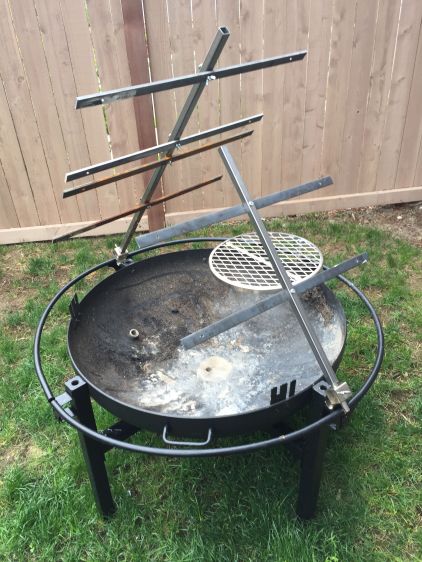
En este caso, encontre en Home Depot un disco de 31″ que me vino bien para adaptarle la cruz arriba. Este fire pit/disco viene tambien con algunos hierros, espiedo y parrilla additionales que podemos usar para adaptar la cruz.

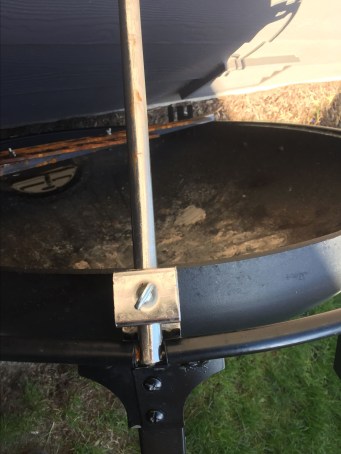
Con unas barras de acero de 1/4 pasante sobre las manijas del borde, podemos darle angulo de inclinacion a la cruz. Con algunos de los complementos que vienen con el fire pit podemos regular la altura.

vc3kd9pt.jpeg

Aqui las cruces presentadas sobre el disco/fire pit

nPiCFa_4


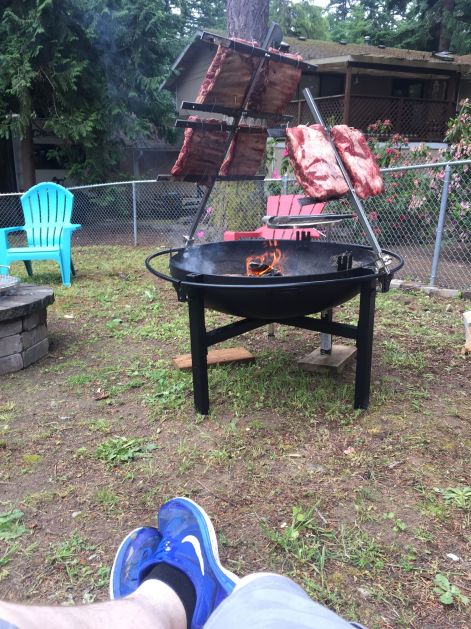
Aqui lo estamos probando con un buen asado argentino:

lehnKfb9


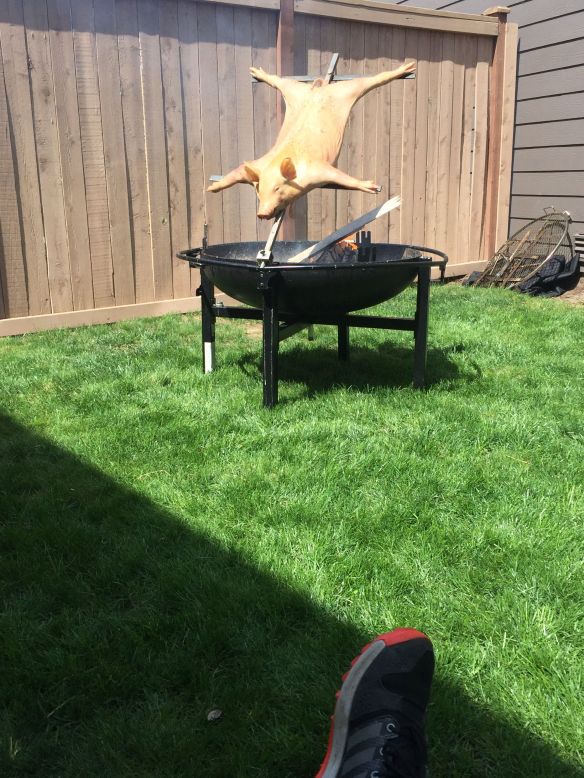
Y por supuesto que podemos hacer un lechon (suckling pig) o cordero (lamb):

-8fPIOqU

yjY8N0i_HjaX-zmF


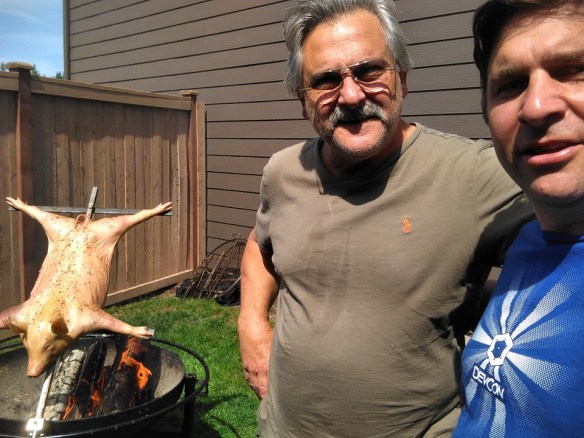
Aqui con Eduardo (el picho) Divito, checkeando que todo funcione como debe ser…

62373833_2657675790912521_9027880926725537792_n

Saludos!


s3:// vs s3n:// vs s3a:// vs EMRFS


s3://

Apache Hadoop implementation of a block-based filesystem backed by S3. Apache Hadoop has deprecated use of this filesystem as of May 2016.

s3n://

A native filesystem for reading and writing regular files on S3. S3N allows Hadoop to access files on S3 that were written with other tools, and conversely, other tools can access files written to S3N using Hadoop. S3N is stable and widely used, but it is not being updated with any new features. S3N requires a suitable version of the jets3t JAR on the classpath.

  • Uses jets3t

s3a://

Hadoop’s successor to the S3N filesystem. S3A uses Amazon’s libraries to interact with S3. S3A supports accessing files larger than 5 GB, and it provides performance enhancements and other improvements. For Apache Hadoop, S3A is the successor to S3N and is backward compatible with S3N. Using Apache Hadoop, all objects accessible from s3n:// URLs should also be accessible from S3A by replacing the URL scheme.

  • Uses AWS SDK.
  • Amazon EMR does not currently support use of the Apache Hadoop S3A file system.

EMRFS:

On Amazon EMR, both the s3:// and s3n:// URIs are associated with the EMR filesystem and are functionally interchangeable in the context of Amazon EMR. For consistency sake, however, it is recommended to use the s3:// URI in the context of Amazon EMR.

EMRFS can be used by invoking the prefix s3n:// or s3:// or s3a:// depending on the client application implementation.

Source: https://aws.amazon.com/premiumsupport/knowledge-center/emr-file-system-s3/

Cruz asador casera / Homemade Argentine asado cross


Estas cruces son dificiles de conseguir afuera de Argentina. O son muy caras si las van a comprar.

Aqui algunos detalles de como contruir una facilmente.

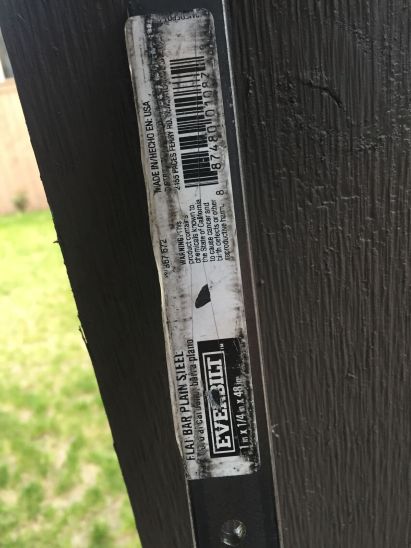
Conseguimos un par the barras planas de acero de 1/4″ x 1″ x 48″.

acero_1-4_1_48

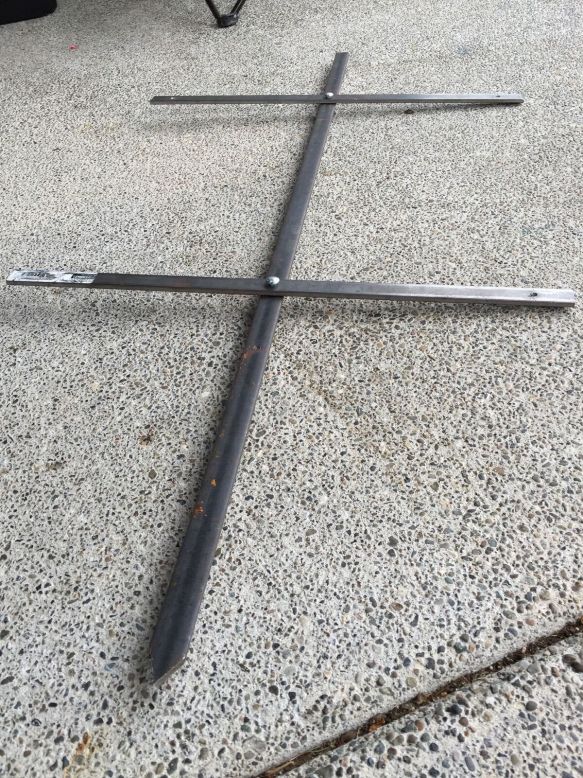
Dejamos una de las barras para el eje vertical de la cruz, y cortamos la otra barra a la mitad (unas 24″), para los dos brazos horizontales.

cruz_asador_ayudantes

Perforamos la barra vertical:

  • a unas 4″ desde la parte superior
  • a unas 10″ desde la parte inferior

Perforamos las barras horizontales:

  • en el centro de cada una para ser atornillada a la barra vertical
  • a una pulgada del borde de cada una para pasar el alambre para atar el cordero o lechon o lo que querramos cocinar con ella.

cruz_asador_perforando_acero

Le damos forma de flecha a la barra vertical en la parte de abajo para que sea mas facil colocarla en la tierra.

Sujetamos las barras horizontales a la barra vertical con tornillo y tuerca (1/4″ x 1/2″ en este caso)

cruz_asador_final

Y finalmente la probamos:

cruz_asador_prueba_cordero.jpeg

“Lástima que quedo crudo…” diria mi abuelo

Screen Shot 2018-05-10 at 6.18.10 AM


S3 and Parallel Processing – DirectFileOutputCommitter


The problem:

While a Hadoop Job is writing output, it will write to a temporary directory:
Task1 –> /unique/temp/directory/task1/file.tmp
Task2 –> /unique/temp/directory/task2/file.tmp

When the tasks finish the execution, will move (commit) the temporary file to a final location.

This schema makes possible the support speculative execution feature on Hadoop.

Moving the task output to its final destination (commit), involves a Rename operation. This rename operation, on a normal filesystem is just a change of pointer in the FS metadata.

Now, as S3 is not a filesystem, rename operations are more costly: it will involve a copy (Put) + Delete operation.

The solution:

In Mapreduce (this behavior can be different for other applications), to avoid these expensive operations, we can change the mapred-site.xml file, “mapred.output.committer.class” property to “org.apache.hadoop.mapred.DirectFileOutputCommitter”, so the the task output directly to it’s final destination.

<property>
  <name>mapred.output.committer.class</name>
  <value>org.apache.hadoop.mapred.DirectFileOutputCommitter</value>
</property>

For this and other useful parallel processing S3 considerations, please have a look here:

http://docs.aws.amazon.com/emr/latest/ManagementGuide/emr-troubleshoot-errors-io.html#emr-troubleshoot-errors-io-1
https://aws.amazon.com/blogs/aws/amazon-s3-performance-tips-tricks-seattle-hiring-event/
http://docs.aws.amazon.com/AmazonS3/latest/dev/request-rate-perf-considerations.html

Copy Data with Hive and Spark / Copiar Datos con Hive y Spark


These are two examples of how to copy data from one S3 location to other S3 location. Same operation can be done from S3 to HDFS and vice-versa.

I’m considering that you are able to launch the Hive client or spark-shell client.

Hive:

Using Mapreduce engine or Tez engine:

set hive.execution.engine=mr; 

or

set hive.execution.engine=tez; 
CREATE EXTERNAL TABLE source_table(a_col string, b_col string, c_col string)
ROW FORMAT DELIMITED FIELDS TERMINATED BY ','
LOCATION 's3://mybucket/hive/csv/';

CREATE TABLE destination_table(a_col string, b_col string, c_col string) LOCATION 's3://mybucket/output-hive/csv_1/';

INSERT OVERWRITE TABLE destination_table SELECT * FROM source_table;

Spark:

sc.textFile("s3://aws-publicdatasets/common-crawl/crawl-data/CC-MAIN-2013-48/segments/1387346051826/warc/").saveAsTextFile("s3://mybucket/spark/bigfiles")


If you want to copy data to HDFS, you can also explore s3-dist-cp:

s3DistCP:

s3-dist-cp --src s3://mybucket/hive/csv/ --dest=hdfs:///output-hive/csv_10/